Hometown Pharmacy3.6.2
Publisher Description
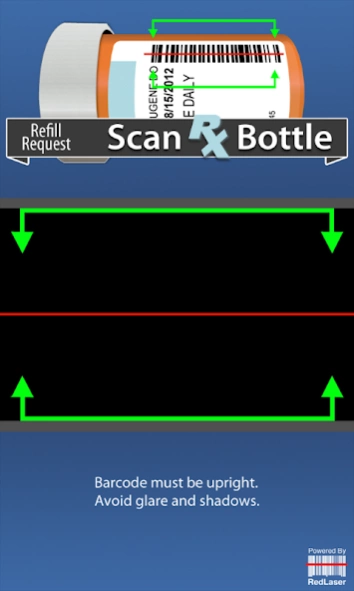
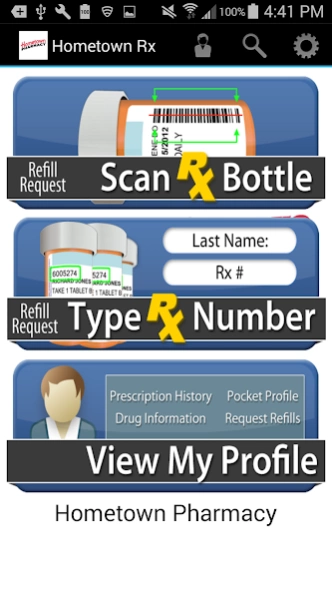
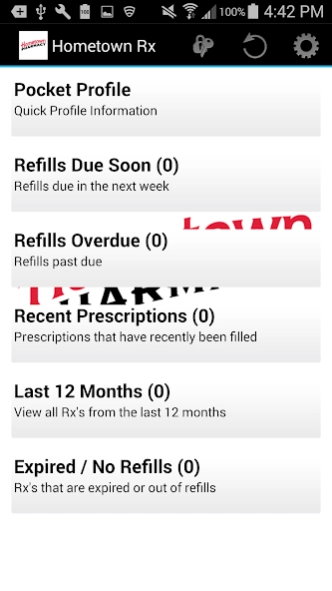
Quickly and easily access your Rx history, submit refill requests and much more!
The Hometown Pharmacy app is a free application for your smartphone that connects you to your local, independent Hometown Pharmacy. Along with submitting refill requests, you will also have access to important data about your prescriptions while on the go.
From the app, you will be presented with a variety of valuable tools:
• Login to view and request refills from your prescription profile
• Access a pocket profile -- a summary of your prescriptions, prescribing physicians, allergy history and more
• View the drug monograph information for most drugs in your prescription history
• View Hometown Pharmacy's location, phone number, and store hours
• Quickly request refills without logging in by typing the Rx numbers or scanning the Rx barcodes
• Receive an immediate response confirming the validity of the prescription number
The Hometown Pharmacy application is developed by Computer-Rx Pharmacy Software.
About Hometown Pharmacy
The company that develops Hometown Pharmacy is Computer Rx. The latest version released by its developer is 3.6.2.
To install Hometown Pharmacy on your Android device, just click the green Continue To App button above to start the installation process. The app is listed on our website since 2023-04-20 and was downloaded 12 times. We have already checked if the download link is safe, however for your own protection we recommend that you scan the downloaded app with your antivirus. Your antivirus may detect the Hometown Pharmacy as malware as malware if the download link to net.winrx.hometown is broken.
How to install Hometown Pharmacy on your Android device:
- Click on the Continue To App button on our website. This will redirect you to Google Play.
- Once the Hometown Pharmacy is shown in the Google Play listing of your Android device, you can start its download and installation. Tap on the Install button located below the search bar and to the right of the app icon.
- A pop-up window with the permissions required by Hometown Pharmacy will be shown. Click on Accept to continue the process.
- Hometown Pharmacy will be downloaded onto your device, displaying a progress. Once the download completes, the installation will start and you'll get a notification after the installation is finished.
Program Details
System requirements
Download information
Pricing
Version History
version 3.6.2
posted on 2023-04-20
Updated for better compatibility with latest Android release.
version 3.0
posted on 2020-04-23
Updated with Android 10 compatibility.
version 2.9.0
posted on 2018-01-12
- Moved contextual menu from Options Menu (bottom of screen) to Action Bar (top of screen) for compatibility with newer version of Android
- Improved message handling from web service
- Corrected issue where spouse/children were visible was incorrectly set
- Resolved issue with error message displaying in Rx# text field
- Adjusted ZIP code field to only accept 5-digit entries
